


Per Starke
Last updated: 05/12/2025
Approx. 10 min read

FAQ pages or sections used to be simple lists of questions hidden in a footer.
Today, they play a much bigger role.
They help people understand what you offer, support their decision-making, and make your brand easier to find online, whether someone is searching on Google, asking an AI assistant, or browsing on mobile.
When your FAQs are well-structured and written in clear, everyday language, they do more than answer questions.
They reduce repeated support requests, help your business appear in search results, and build credibility with visitors who want quick, honest information before taking action.
This short guide shares practical ways to organise your FAQ content, write answers that work for both humans and search tools, and measure what’s actually helping, so your FAQ page or section can quietly but consistently support your goals, whether you’re a small solo coach or a larger team.
An FAQ page or section is more than a list of questions; it’s a simple, dependable place where people can understand how your business works.
With most visitors expecting fast, clear answers (whether they’re searching Google, asking an AI assistant, or browsing your site on their phone), a good FAQ reduces confusion and helps them make decisions more easily.
FAQs began as a way to collect answers that don’t naturally fit on product, service, or policy pages. Today, they’re even more critical.
When you bring common questions into one place, things like shipping times, booking steps, payment options, materials, warranties, or sustainability info, people can scan and understand quickly.
This reduces the need for repeated questions from you or your team and helps your business feel open, organised, and easy to work with.
The strongest FAQs come from actual customer interactions, support logs, sales conversations, and product reviews, not guesswork.
When your answers reflect what people actually ask, it shows you listen.
Being honest about limitations or boundaries (like cancellation windows or feature constraints) also builds trust and helps visitors move forward without surprises.
A thoughtfully designed FAQ is not a distraction; it is a conversion catalyst.
When you answer common concerns about pricing, delivery, integration, booking steps, or refunds in plain language, people feel more confident taking the next step.
Even small businesses, consultants, or one-person coaches can benefit from this. Helping visitors get clarity early means fewer back-and-forth messages and smoother conversions.
A helpful FAQ isn’t just for new visitors.
Existing customers also rely on it for setup, troubleshooting, or policy questions. When they can find answers easily, they feel supported without needing to wait for a reply.
This lowers the number of simple support queries and frees up time, whether you’re a large team or a single person running your own business.
That extra breathing room helps you focus on deeper customer relationships and long-term retention.
Search today is broader than traditional results. Visitors find information through conversational queries, AI summaries, voice assistants, and “People Also Ask” boxes, all of which rely on clear question–answer structures.
This is where a well-built FAQ naturally fits.
FAQs allow you to write in the same plain language your customers use. When your questions match real phrasing. For example:
And this gives search engines a clear signal that your content matches specific intent.
These longer, more specific questions usually have less competition and often bring in visitors who already know what they need. That means better-qualified traffic and more confident next steps.
An FAQ page or section can also rank for several related questions at once.
When you add the correct schema (the code that helps search engines understand Q&A content), your answers are more likely to appear in “People Also Ask” boxes and other rich result formats.
AI search tools look for the clearest, most direct answers available.
Because FAQs are already structured and easy to scan, they often become the content these tools quote or summarise.
Businesses, including small studios, solo coaches, and freelancers, can use short, to-the-point questions and answers.
Voice assistants repeat information exactly as they find it. They favour content that sounds natural and speaks like a real person.
FAQ-style phrasing works well here because it reads like how people talk.
When your answers begin with a clear, plain-language response, search engines are more likely to select your content for featured snippets, spoken answers, or quick definitions.
Using the proper FAQ schema also helps search engines understand your structure.
Local businesses can strengthen discoverability by including location-specific questions, such as:
Including clear place names improves your chances of appearing in “near me” searches and local result packs.
And as generative engines continue to summarise answers, concise and location-aware FAQs increase your likelihood of being surfaced in those summaries as well.
A clear FAQ page or section often becomes one of the most visited entry points on a website. This usually happens because it:
For small and large businesses alike, this adds up to more qualified leads and a smoother path to conversion.
A high-performing FAQ doesn’t happen by accident. It grows from real customer insight, clear structure, and consistent iteration.
When built with intention, it becomes one of the most helpful and conversion-friendly parts of your website.
Here’s how to design FAQs for conversion and engagement:
Effective FAQs start with listening. Instead of guessing what people might ask, collect questions from real interactions, including:
This gives you questions that reflect what customers genuinely care about. It also keeps your FAQ anchored in real language rather than internal terminology.
A long, unstructured list can overwhelm visitors. Grouping questions into simple, clear categories makes everything easier to scan.
Good examples include:
Accordion-style sections or small subcategories keep the page tidy, especially on mobile. This structure reduces friction and helps visitors feel supported as they move through your site.
Every FAQ answer should begin with a direct, plain-language response. From there, you can add a little context if it genuinely helps the reader.
To keep things clear:
This approach works for solo coaches, small businesses, and larger teams because it keeps answers clear and easy to act on.
Most people read FAQs on their phones, so your FAQ page or section needs to feel light, simple, and easy to tap through.
A strong mobile and accessible setup includes:
Testing on a few devices, even just your own phone and laptop, can instantly reveal where the experience can be smoother.
Adding FAQ schema markup helps search engines and AI tools understand the structure of your questions and answers.
This can improve visibility in search results and increase the chance of your answers being featured in rich snippets.
Many website builders offer simple ways to add this without coding. After adding it, you can use Google’s Rich Results Test to check everything is working.
Each answer is a natural opportunity to guide people towards the next helpful step.
You can link to:
Keep the tone calm and human, more of a gentle invitation than a sales push. This works well for solo operators and larger teams alike.
A helpful FAQ is never finished; it grows as your customers’ needs change.
Analytics and heatmaps reveal which questions people visit most, where they click, and where they lose momentum. These insights make it easier to refine content, adjust structure, and keep everything current.
To keep your FAQ relevant and practical:
Revisit your FAQ regularly to protect search visibility and build long-term trust.
This ongoing care helps your FAQ stay helpful for visitors and strong for search visibility.
FAQs don’t have to live on a single page.
When answers surface at the right moment, during browsing, comparing options, or completing a purchase, they remove friction and build confidence.
Here’s how to integrate FAQs across the customer journey:
Adding small FAQ sections directly to product or service pages helps people get clarity without jumping to another part of your site.
This is especially useful for mobile visitors, who prefer quick, on-page answers. You can address common concerns such as:
In checkout flows, short reminders about shipping times, return windows, or payment options can calm hesitation and lower cart abandonment.
Linking back to product or policy pages from within your FAQ answers also gives visitors a smooth way to explore more details without losing their place.
A clear search function makes FAQ content far more helpful.
Placing a search bar on your FAQ page, or making it accessible across your site, helps visitors type their own questions instead of scrolling.
Categorized topics alongside search give people two simple ways to explore, which often leads to faster answers and higher satisfaction.
FAQs work best when they support customers wherever they interact with your brand.
Even small businesses or solo operators can use the same helpful answers across:
This keeps your messaging consistent and saves time on repetitive questions.
You can also turn your most-asked questions into blog posts, short videos, or quick visuals, helpful for people who prefer learning in different ways.
Several well‑known companies show how strategic FAQ implementation enhances experience and conversions:
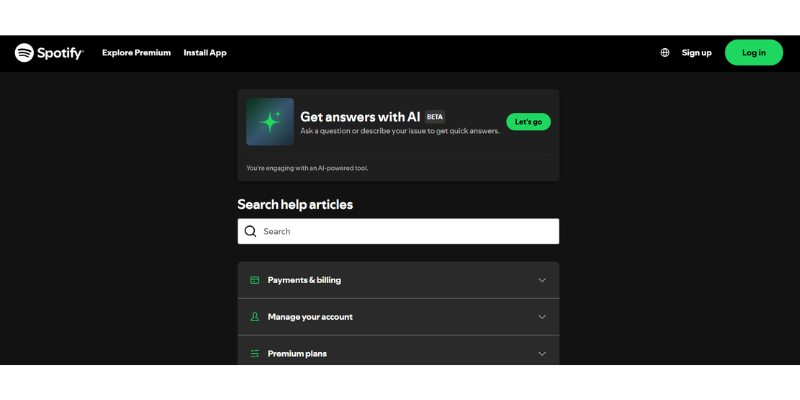
Spotify’s Help Center doesn’t just offer written answers, it also highlights “Get answers with AI”, meaning users can type questions and receive instant, conversational support.
This sets an expectation for fast, intelligent help and shows how modern FAQs are moving toward interactive, AI-powered assistance instead of static pages.
Source: Spotify Help
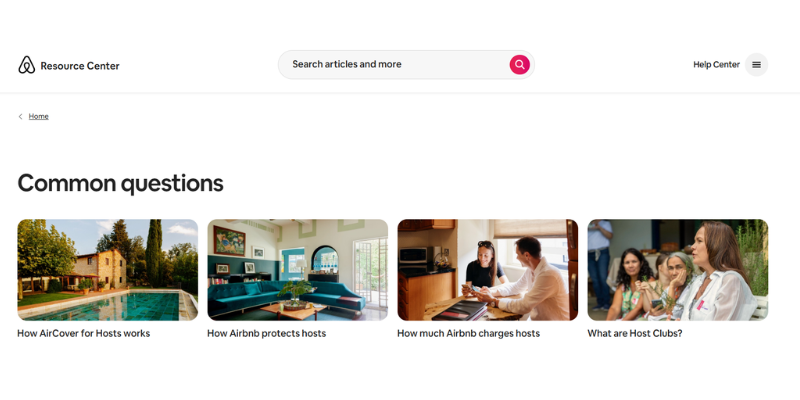
Airbnb anticipates hosts’ every question, offering step‑by‑step tutorials alongside detailed answers.
This thoroughness reflects a deep understanding of customers and reduces confusion during onboarding.
Source: Airbnb FAQs
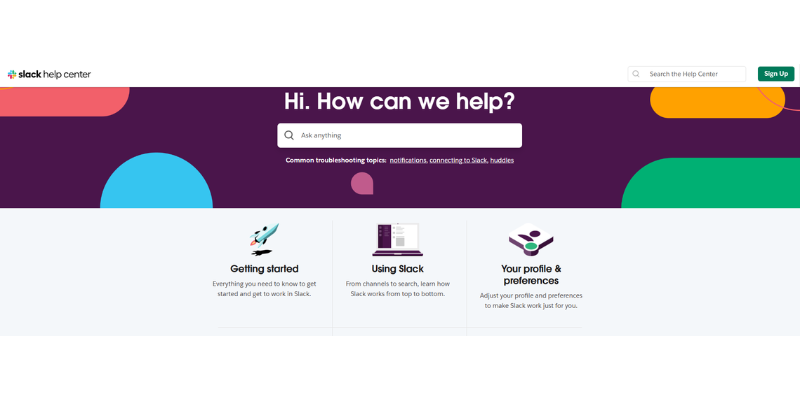
Slack injects humor and conversational language into its FAQ while still providing technical clarity, showing that brand voice can coexist with informative content.
These examples show that effective FAQs aren’t monotonous lists of dry questions; they are tailored, on‑brand experiences that guide users toward the next step.
Source: Slack FAQ
The rise of generative AI search and “zero‑click” SERPs, where answers appear directly in search results without requiring a site visit, has reshaped content strategy.
Well-built FAQ pages fit naturally into this new landscape because they offer clear question–answer pairs that are easy for both humans and machines to interpret.
To make your FAQs work in an AI-driven world:
Even if a zero‑click result delivers the answer without a site visit, being the source of that answer builds brand recognition and authority. Moreover, many users still click through to learn more or to verify information.
Thus, investing in structured FAQs not only improves AI visibility but also attracts curious visitors who are ready to engage further.
To understand how well your FAQs are performing, track a few key metrics that show both visibility and real customer impact:
Monitor impressions, clicks, and average position for pages containing FAQ content. Look for increases in keyword rankings and traffic after implementing structured FAQs.
Use analytics and heatmaps to see which questions users open, how far they scroll, and where they exit. High engagement on certain questions might indicate topics that deserve expanded guides or product pages.
Measure how FAQ interactions correlate with sign‑ups, purchases, or demo requests. Compare conversion rates before and after adding FAQ sections.
Track changes in ticket volume and common inquiries. A decline in repetitive questions suggests that your FAQ page is effectively deflecting support requests.
Use these insights to continually refine your FAQ content: add new questions when trends emerge, update answers when products or policies change, and remove anything outdated.
That said, an FAQ page should be treated as a living document that evolves alongside your products and customer needs.
FAQs are no longer just a list of basic questions placed at the bottom of a webpage; they’ve become strategic assets that support the entire customer journey.
When crafted well, they centralize key information, answer real customer concerns, and follow strong SEO practices.
This turns FAQ pages into powerful tools that improve search visibility, build trust, reduce support workload, and capture long-tail queries, bringing in highly qualified visitors.
In today’s AI-driven, zero-click search environment, well-structured, well-labeled FAQs help your brand stay visible as a trusted source to both search engines and generative models.
To get the most value from FAQs, treat them like any other core marketing asset:
By taking this approach, your FAQ page becomes more than a reference; it becomes a dynamic engine that informs, engages, and ultimately drives conversions.